
Vibe Editing · Free of charge
Paano ginawa: step by step
Free of chargeLegit free of charge, walang halong scam. Walang signup, walang paywall, walang email gate. Hindi tayo nag-gatekeep. Vibe coders tayo: may code sa likod ng Vibe Editing, pero hindi mo kailangang magsulat ng kahit isang linya. Nasa loob na ito ng mga skill. I-clone mo ang template, ilagay mo ang sarili mong panlasa at assets, at ikaw pa rin ang gagawa ng trabaho mo.Legit free of charge, no scam. No signup, no paywall, no email gate. We don't gatekeep. We are vibe coders: there is code behind Vibe Editing, but you don't have to write a single line of it. It already lives inside the skills. Clone the template, add your own taste and assets, and you still do your own work.
Ang Claude Kami ay Taglish skit series na code-rendered: si Bai, isang low-poly na guy, at si Claude, ang honest na orange block, nag-uusap sa isang kwarto. Ang halimbawa dito ay episode 13, “Legit Developer”: panoorin sa Instagram o sa Facebook.Claude Kami is a code-rendered Taglish skit series: Bai, a low-poly guy, and Claude, an honest orange block, talk in a room. Our example here is episode 13, “Legit Developer”. Watch it on Instagram or Facebook.
Note: Bai ang pangalan niya ngayon. Episode 13 still calls him Buloy.Note: his name is Bai now. Episode 13 still calls him Buloy.
Ang daloyThe flow
Walong hinto, dalawang checkpoint.Eight stops, two checkpoints.
Hindi mo ito ginagawa nang mano-mano: ang mga skill ang sumusunod sa daloy na ito. Dalawang checkpoint ang nasa ibabaw. Binabasa mo ang bawat linya bago gumawa ng boses, at may independent critic na nagre-review, hanggang dalawang rounds lang.You don't do this by hand: the skills follow this flow. Two checkpoints sit on top. You read every line before any voice is made, and an independent critic reviews it, two rounds at most.
Hakbang 1Step 1
Kumuha ng ClaudeGet Claude
Ang pangunahing gastos ay isang bayad na Claude plan na may Claude Code: $20 kada buwan ang Pro. Iyon ang gamit namin, at iyon ang gumagawa ng halos lahat ng trabaho.The main cost is a paid Claude plan that includes Claude Code: Pro is $20 a month. That is what we use, and it does most of the work.
- Ang mga boses ay galing sa ElevenLabs. Libre ang Free plan: 10,000 credits kada buwan, isang credit bawat letra. Mga 800 hanggang 900 letra ang boses ng isang episode, kaya mga sampung episode kada buwan ang kasya. Pero walang commercial licence ang Free.The voices come from ElevenLabs. The Free plan costs nothing: 10,000 credits a month, one credit per character. An episode's voices run about 800 to 900 characters, so roughly ten episodes a month fit. But the Free plan has no commercial licence.
- Libre para subukan. Kung kikita ka rito o gagawa para sa isang brand, kumuha ng Starter: $6 kada buwan, 30,000 credits, may commercial licence.Free to try. If you will monetise or post for a brand, take Starter: $6 a month, 30,000 credits, with a commercial licence.
- Hindi puwedeng gamitin ng Free plan ng ElevenLabs ang mga boses sa Voice Library sa pamamagitan ng API. Kaya tinutulungan ka ng setup na pumili ng mga boses na kaya ng sarili mong account.ElevenLabs' Free plan can't use Voice Library voices through the API. So the setup helps you pick voices your own account can use.
- Ang Gemini ay para sa optional na listening check. Tatanungin ka muna bago ito magsimula, at ipinapadala nito ang audio sa Google.Gemini is for an optional listening check. You are asked first, and it sends the audio to Google.
- Presyo ng ElevenLabs noong Oktubre 2026. Puwedeng magbago, kaya tingnan mo rin ang site nila.ElevenLabs prices as of October 2026. They can change, so check their site too.
Hakbang 2Step 2
I-clone ang Vibe Editing templateClone the Vibe Editing template
Ang template ay nasa ilalim ng Vibe Coders PH GitHub organisation. Ang “clone” ay simpleng paggawa ng sarili mong kopya nito sa computer mo.The template lives under the Vibe Coders PH GitHub organisation. “Clone” just means making your own copy of it on your computer.
- Isa itong GitHub template: pindutin ang “Use this template” sa GitHub para magkaroon ng sarili mong kopya, o i-clone ito.It is a GitHub template: press “Use this template” on GitHub to get your own copy, or clone it.
- Hindi mo kailangang intindihin ang code sa loob. Nasa loob na ng mga skill ang lahat ng hakbang.You don't need to understand the code inside. Every step is already in the skills.
- Template ito, hindi tapos na episode. Panimula mo ito.It is a template, not a finished episode. It is your starting point.
Hakbang 3Step 3
Buksan sa Claude CodeOpen it with Claude Code
Buksan ang folder ng template sa Claude Code. Puwede ang desktop app o ang terminal, alinman ang mas komportable ka.Open the template folder in Claude Code. The desktop app or the terminal both work, whichever you are more comfortable with.
- Hindi ka magta-type ng code. Nakikipag-usap ka kay Claude gaya ng pakikipag-usap sa kasama mo.You don't type code. You talk to Claude the way you would talk to a teammate.
- Nasa folder na ang mga skill, kaya alam na ni Claude ang mga hakbang.The skills are already in the folder, so Claude already knows the steps.
- Sabihin kay Claude: “i-setup mo ako”Tell Claude: “set me up”
- Ang setup ang magkakabit ng anumang kulang, gagawa ng settings file mo (nasa computer mo lang ang mga key mo), at magre-render ng halimbawang episode.The setup installs whatever is missing, makes your settings file (your keys stay on your computer), and renders the example episode.
- Kailangan ng Node.js 22 o mas bago. Kapag wala pa, ang setup ang magkakabit nito.It needs Node.js 22 or newer. If you don't have it yet, the setup installs it.
- Bago magsimula, tatanungin ka kung gusto mo ang optional na Gemini listening check. Ipinapadala nito ang audio sa Google.Before it starts, it asks whether you want the optional Gemini listening check. It sends the audio to Google.
- Ang halimbawang episode ay episode 13, “Legit Developer”, na nilagyan ulit ng boses gamit ang mga default voice ng ElevenLabs, kaya nagre-render ito kahit wala kang mga key.The example episode is episode 13, “Legit Developer”, re-voiced with ElevenLabs' default voices, so it renders even without keys.
Hakbang 4Step 4
Sabihin kay Claude ang gusto moTell Claude what you want
Ibigay mo ang premise mo at ang mga karakter mo, sa sarili mong salita. Si Claude ang magdra-draft ng script sa Taglish.Give it your premise and your characters, in your own words. Claude drafts the script in Taglish.
- Para magsimula ng bago, sabihin: “gawa tayo ng bagong episode tungkol sa …”To start a new one, say: “let's make a new episode about …”
- Sa episode 13, nagsisimula ang hook sa “Claude,”: “Claude, legit developer ba ako?”In episode 13 the hook opens with “Claude,”: “Claude, legit developer ba ako?”
- Flat at maaga ang sagot ni Claude, mga dalawang segundo: “Define 'legit.'”Claude's answer comes flat and early, at about two seconds: “Define 'legit.'”
- Dalawang karakter, palitan ng linya, 40 hanggang 55 segundo.Two characters, trading lines, 40 to 55 seconds.
- Ang huling linya ay bumabalik sa isang naunang biro. Sa episode 13, bumabalik ito sa for-loop na linya.The last line calls back an earlier joke. In episode 13, it calls back the for-loop line.
- Natural na Taglish, hindi pilit.Natural Taglish, not forced.
- Binabasa mo ang bawat linya bago gumawa ng kahit anong boses. Ito ang checkpoint mo.You read every line before any voice is made. This is your checkpoint.
Hakbang 5Step 5
Ang mga skill ang gumagawa ng mabigat na trabahoThe skills do the heavy lifting
Dito nangyayari ang code, pero hindi mo ito hawak. Heto ang nangyayari sa loob, sa simpleng salita.This is where the code runs, but you don't touch it. Here is what happens inside, in plain words.
- Mga boses. Isang voice clip bawat linya, may word timing, kaya sumasabay ang galaw sa mga salita. Kapag sobrang haba, pinapabilis nang kaunti ang isang linya (hindi nagbabago ang tono) o pinaiikli ang mga katahimikan, para pasok sa 40 hanggang 55 segundo.Voices. One voice clip per line, with word timing, so the movement follows the words. If it runs long, one line is sped up a little (the pitch stays) or the silences are trimmed, to land in 40 to 55 seconds.
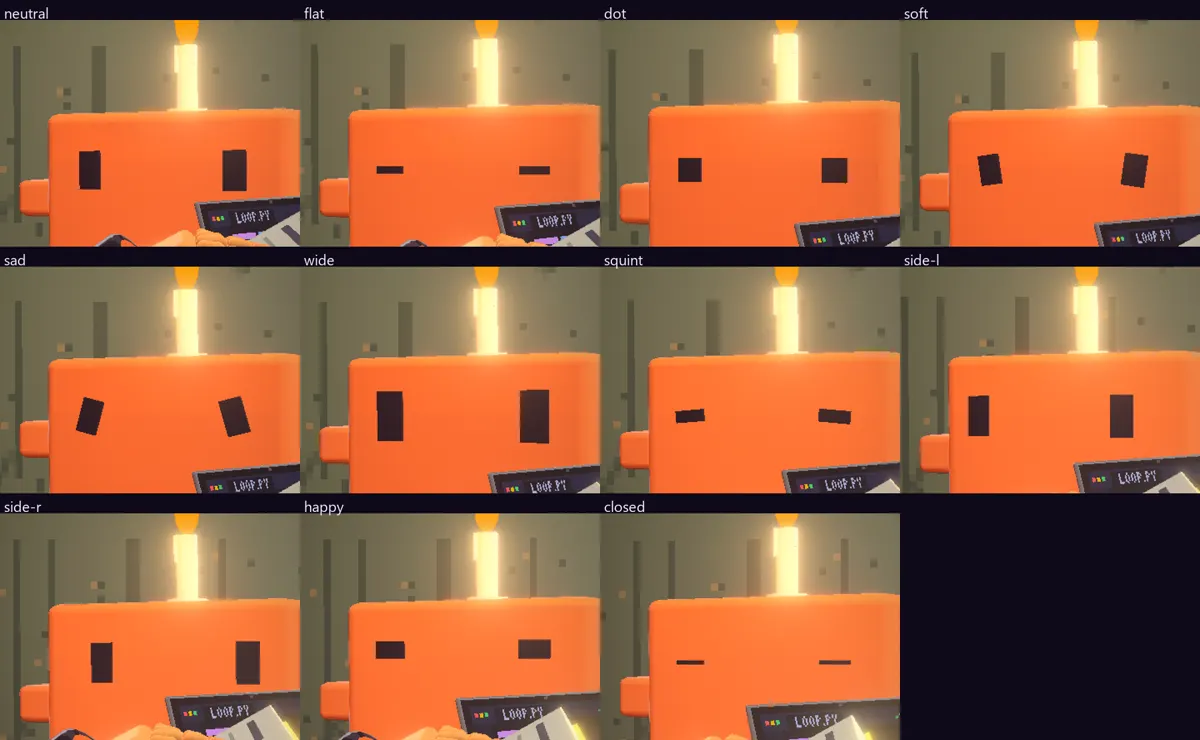
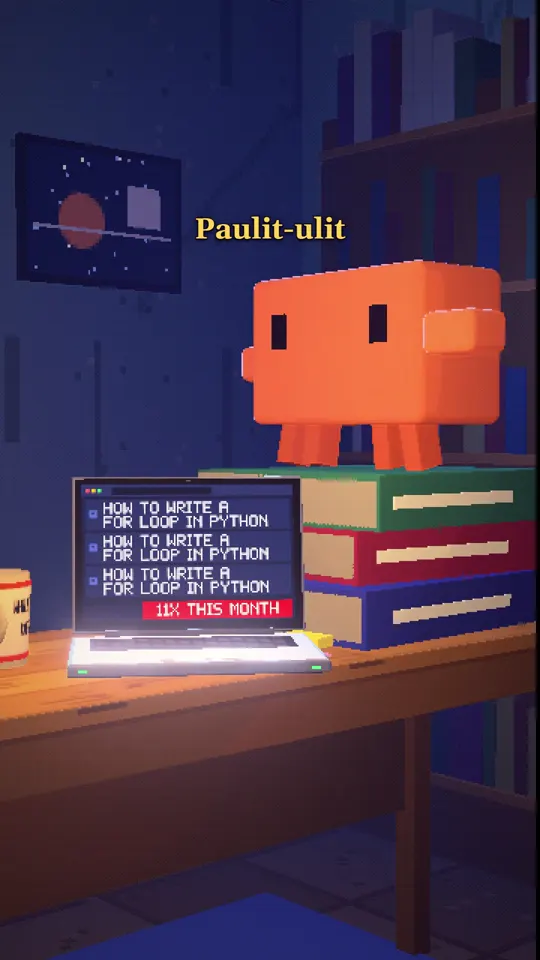
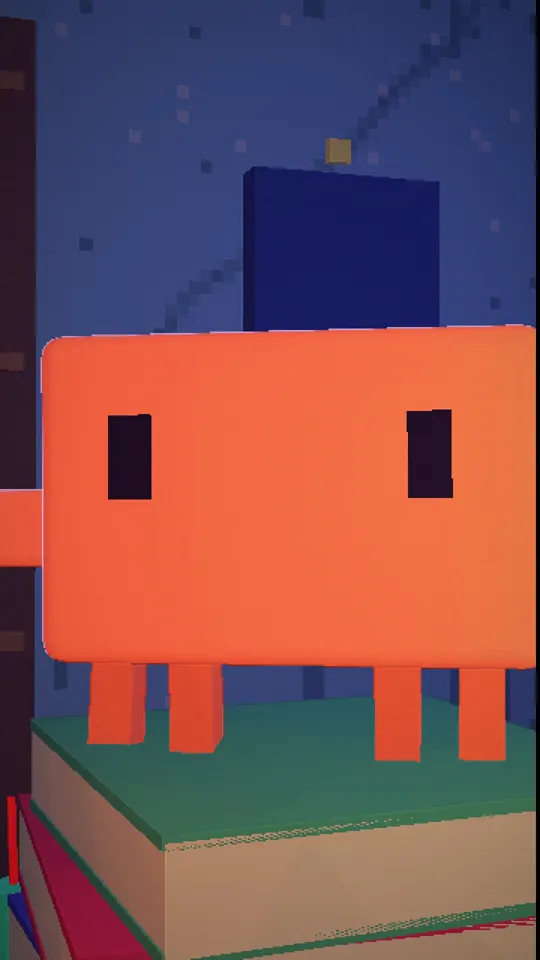
- Ang 3D na kwarto. Walang finilm. Isang low-poly na kwarto na ginuhit ng code, at solid ang mga hawak na bagay: walang tumatagos.The 3D room. Nothing is filmed. It is a low-poly room drawn by code, and held objects are solid: nothing passes through.
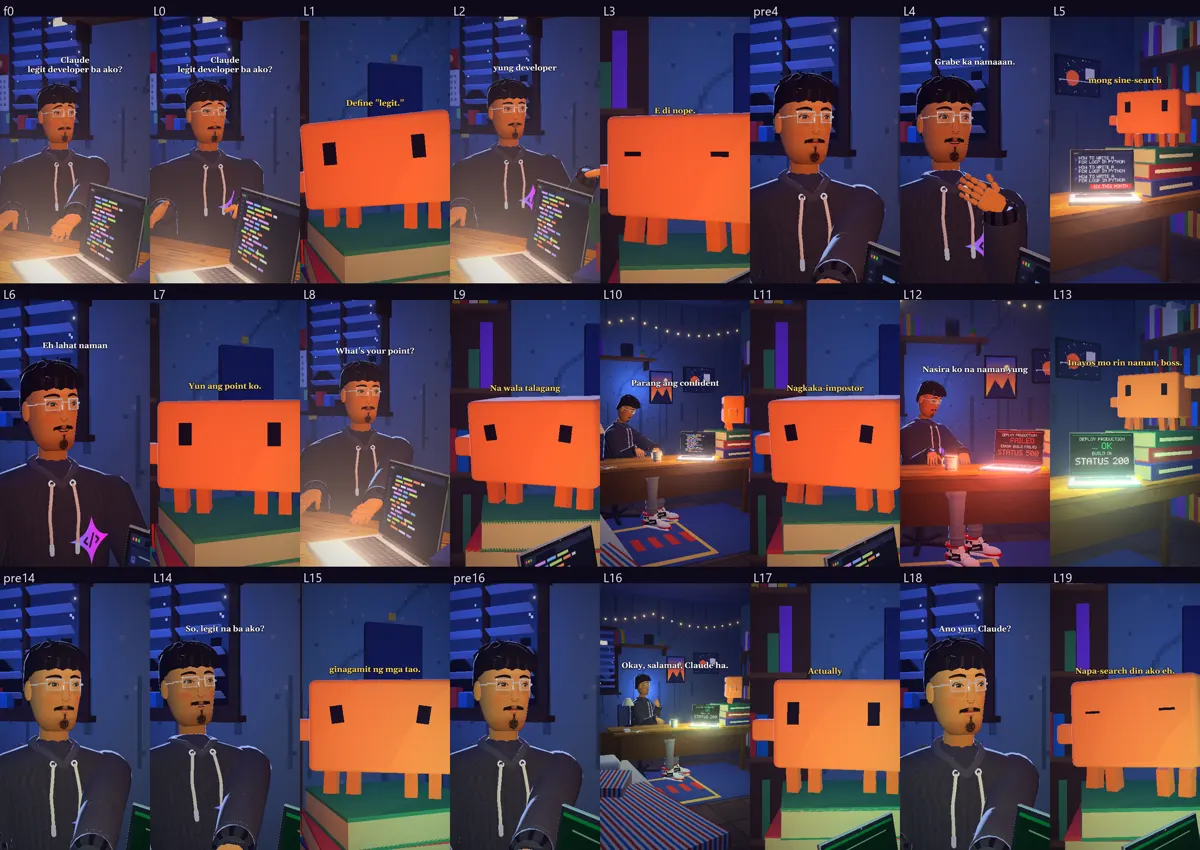
- Virtual cinematographer. Siya ang pumipili ng shot bawat linya, base sa kung nasaan ang cast. Close-ups muna. Ang wide ay isang segundong hinga. Ipinapakita ang screen nang mga dalawang segundo, tapos balik sa mukha. Ang captions ay nasa safe area, wala sa mga mukha.Virtual cinematographer. It picks the shot for every line, based on where the cast stands. Close-ups first. A wide is a one-second breath. A screen is shown for about two seconds, then it goes back to the face. Captions stay in a safe area, off the faces.
- Tunog. Una ang mga boses; ang music at effects ay nasa ilalim nila. Ang huling mix ay umaabot sa karaniwang lakas ng tunog ng streaming. (Ang episode 13 ay gumamit ng mas lumang mix kung saan bumababa ang music habang may nagsasalita. Mula episode 14, voices-first na.) Ang bawat tunog na kasama sa template ay gawa sa code o gawa ng Vibe Coders PH gamit ang ElevenLabs, at lahat ay CC0 (libreng gamitin).Sound. Voices come first; the music and effects sit under them. The final mix lands at streaming loudness. (Episode 13 used an older mix where the music ducks while someone speaks. From episode 14 it is voices-first.) Every sound shipped in the template is made from code or by Vibe Coders PH with ElevenLabs, all released as CC0 (free to use).
- Mga check. Bago mag-render, hinihinto ng proseso ang masamang frame o masamang mix: kamay na tumatagos sa hawak, caption sa mukha, boses na hindi maririnig, maling lakas ng tunog.Checks. Before rendering, the process stops a bad frame or a bad mix: a hand passing through what it holds, a caption over a face, a voice that can't be heard, the wrong loudness.
- Independent critic. Isang hiwalay na reviewer ang tumitingin sa episode, hanggang dalawang rounds lang.Independent critic. A separate reviewer looks over the episode, two rounds at most.
Hakbang 6Step 6
Dalhin ang sarili mong panlasa, kwento at assetsBring your own taste, story and assets
Panimulang punto lang ang template. Ikaw ang nagbibigay dito ng sarili mong buhay.The template is only a starting point. You are the one who makes it yours.
- Ang premise mo, ang mga karakter mo, ang mga biro mo.Your premise, your characters, your jokes.
- Ang mga boses na pipiliin mo.The voices you choose.
- Ang set at ang mga props na bagay sa kwento mo.The set and the props that fit your story.
- Kung gagayahin mo ang format ng isang reel, ilagay sa first comment ang credits, sources at ang pagsasabing fiction ito.If you pattern a reel's format, put the credits, the sources and the line saying it is fiction in the first comment.
Hakbang 7Step 7
Ikaw pa rin ang gagawa ng trabaho moYou still do your own work
Hindi ito one-click. Basahin mo ang bawat linya, panoorin mo ang bawat cut, at ikaw ang magpo-post.This is not one-click. Read every line, watch every cut, and post it yourself.
- Sa amin, naghihintay ang pag-post ng approval. Kapag nabago ang video pagkatapos ng approval, hindi ito magpo-post.With us, posting waits for approval. If the video changes after it was approved, it won't post.
- Dalawang oras ang pagitan ng mga post, at hanggang dalawang post lang kada araw kada channel.There are two hours between posts, and at most two posts a day per channel.
- Binabasa muna pabalik ang link ng post bago sabihing live ito.It reads the post's link back before it says the post is live.
- Sa render, may kopya para sa upload at mas maliit na kopya para sa phone.The render makes an upload copy and a smaller phone copy.
PanoorinWatch
Panoorin ang buong episode.Watch the full episode.
Ang episode 13, “Legit Developer”, ang sinusundan ng page na ito. I-follow ang @vibecodersph para sa susunod. Libre pa rin.Episode 13, “Legit Developer”, is the one this page follows. Follow @vibecodersph for the next one. Still free.